
Build an SD card drawer that separates blank cards from cards waiting for backup
An empty SD card and a card holding an entire shoot look identical from across a desk. Give each state its own address. Set up a ready-to-use row, an intake spot for cards coming out of the camera, and a separate place for cards whose files you have verified. The physical layout should make the right next step obvious even after a late shoot.
Shop the ForgeGrid Media Dock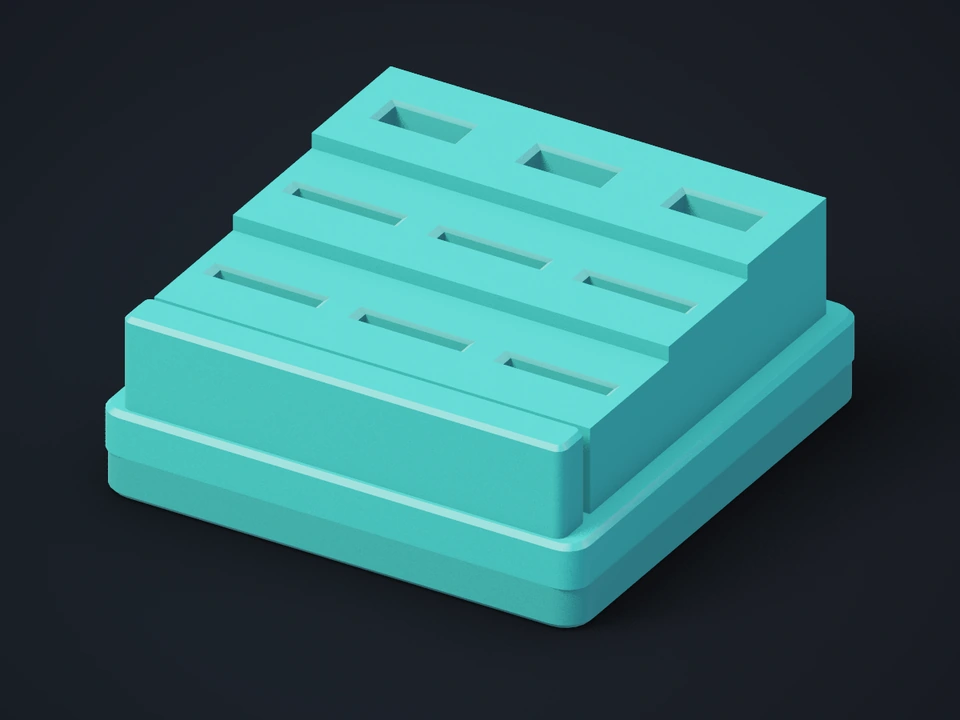
Name the states before you buy the organizer
Write three labels on paper: READY, TO COPY and VERIFIED. Walk one empty card through a pretend shoot. After the camera comes back, the card lands in TO COPY. After your normal copying and verification process, move it to VERIFIED. Move a card back to READY only when your own retention and formatting workflow releases it for reuse.
That middle state earns its space. A card still in a reader, or one waiting for a second copy, should remain visibly in progress. If a second shooter shares the desk, agree on the exact meaning of each word. “Done” could mean transferred, checked, or safe to format to three different people.
Fit the media and its travel case
The SD Association lists a full-size SD card at 32 × 24 × 2.1 mm. A microSD card is only 15 × 11 × 1 mm. A slot designed for a full-size card will not reliably organize a bare microSD. Use a labeled adapter or keep the little card in its protective case, then measure the outside of that assembly.
Lay the tallest card or case upright where you plan to store it. A slot can leave enough card exposed for your fingers and still hit the underside of the desktop when the drawer closes. Check the height with the card inserted, then check the clearance your hand needs to remove it straight up.
Allocate spaces to the busiest day
Consider a two-camera job that brings back four cards while a previous job still has two awaiting verification. One large unlabeled row hides which pair belongs to which job. A six-position intake arrangement with removable job labels accommodates that example; a photographer who rotates only two cards might prefer a smaller caddy and one visibly separate protective wallet.
Keep the reader beside TO COPY so the workflow follows a single direction. Separate the reader’s detachable cable from stored cards. A dangling connector can obscure the row label or dislodge a card when you slide the drawer open.
Set up the Media Dock
The ForgeGrid Media Dock is an open-slot camera-card and USB caddy. Use it for the fast-access portion of the workflow and reserve a distinct sleeve, second holder or separate bin for another state. The product page has the available sizes and a printable footprint. Put the footprint where your reader actually sits before you choose your finish.
Questions & answers
Does putting a card in VERIFIED mean I can erase it?
Only after you have followed your own backup checks and release process. A label records a decision you already made. It cannot establish that a copy exists or that its files open correctly.
Can I tell full and empty cards apart by flipping them over?
Facing cards in opposite directions can be a secondary cue. Separate labeled locations are easier to interpret after someone bumps the drawer, rotates a card or hands it to another photographer.
How should I store a loose microSD card?
Keep it in an appropriate protective case or a labeled adapter that fits the selected slot. Reserve an unmistakable place for empty adapters so an empty shell is never counted as captured media.
Will this work when I shoot away from my desk?
Give your field wallet the same clear labels or zones. At your desk, unload the incoming cards into TO COPY before putting the wallet away. Keep media protected during travel.