
A small podcast desk that fits a MacBook, a mic arm and handwritten notes
Place the microphone arm first. Its clamp needs access to both sides of the desktop, and the moving arm takes space that never appears on a simple floor plan. Once the microphone reaches your speaking position and parks clear of the chair, the MacBook and the notes can claim the remaining space.
Build my MacBook podcast desk station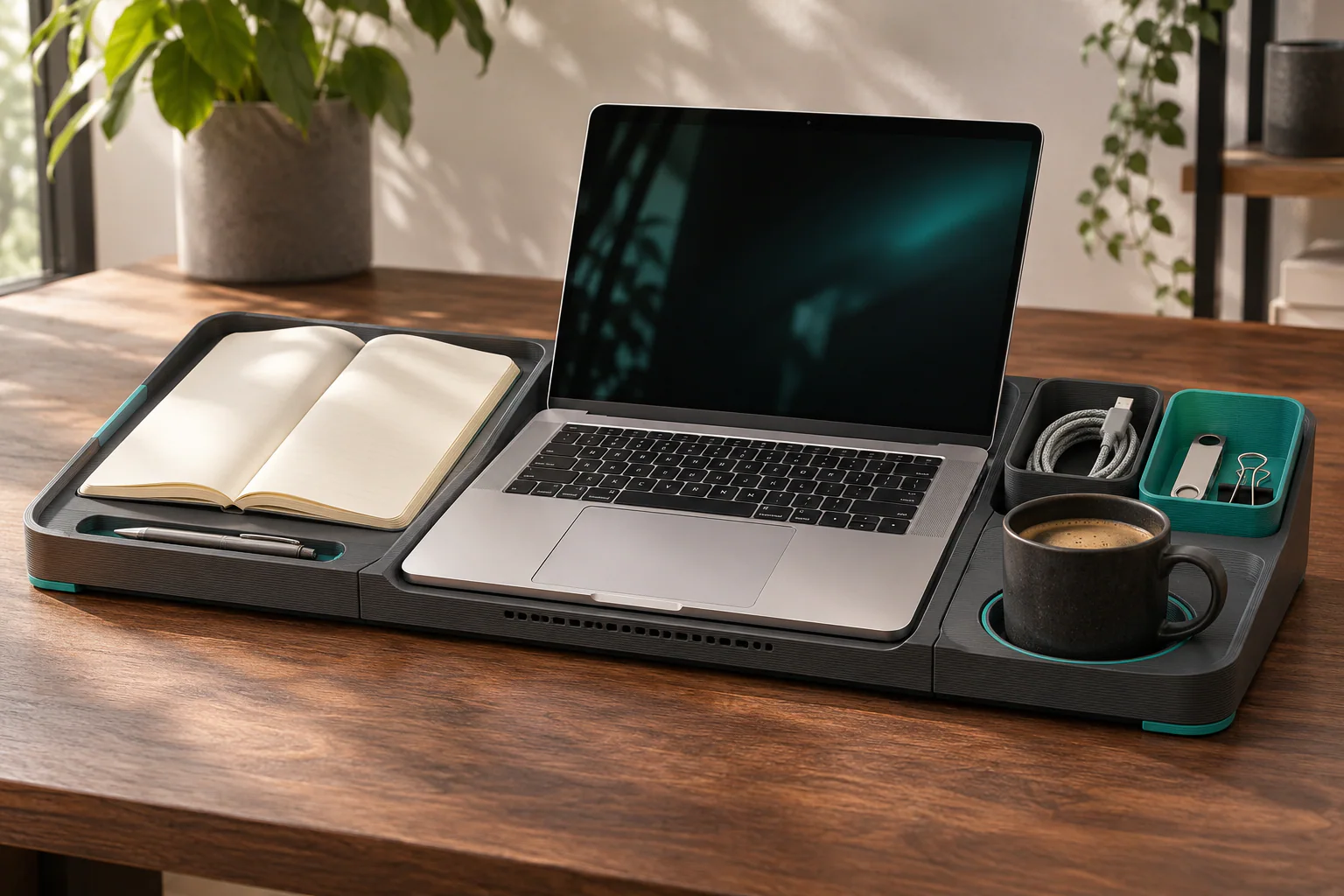
Check the real clamp before choosing a corner
Sit where you record and put the microphone in the position recommended for that model. Have someone hold the arm or use its existing mount as you check the route toward the desk edge. Look underneath for an apron, drawer rail or metal support. A clear patch on top does not guarantee the lower jaw of the clamp can reach it.
Follow the arm maker’s mounting instructions and check the actual desk's suitability. For example, RØDE lists up to 70 mm of desktop thickness for the PSA1+ desk clamp. That figure applies to that specific clamp and says nothing about where the tightening screw will land beneath a particular desk. Mount the arm to a suitable desk surface, independently of the station.
Compare a front-facing and a side-facing setup
For an audio-only show, try the MacBook open near the middle, a small notes pad on your writing side and the boom entering from the opposite side. The microphone can stay in position while you reach a keyboard shortcut. Park the headphones where the lead falls away from the writing page.
For video, frame yourself with the intended camera before committing to the notebook side. A boom that looks tidy from above can cross your face on camera or obscure the guest window on the laptop. Angle the notes just below your sightline and try a second layout with the arm approaching from the side. A pad placed closer to the lens can reduce how far your gaze travels between the audience and the next question.
Rehearse a minute of the actual show
Record a short private test at your usual speaking distance. Read a line, turn a page, type a shortcut, reach for headphones and park the arm. Listen back for a paper scrape, a tap through the desk or a cable brushing the microphone. Shure identifies handling noise as a reason to use a stand. This rehearsal tells you which noises your own setup catches.
A small pad whose used pages fold behind it can work better than a broad spiral book that needs both hands. Mark the mic cable and the laptop cable where they leave the desk. One should never snag the other when the arm swings away. Keep a drink outside the sweep, or leave the cup holder out of the configuration if the desk is tight.
Build the stationary part around the moving one
Measure the rectangle still free after the clamp, microphone sweep and monitor foot are accounted for. In ForgeStation, compare an open MacBook stand with a small writing wing against an upright MacBook with an external display. Choose your paper size and consider a pocket for adapters or cables. Mention the clamp location in the notes when you request a quote. The station supports the laptop and desk accessories; your separately mounted boom retains its movement.
Questions & answers
Can the microphone arm clamp directly to the printed station?
Plan a separate desk mount using the arm and desk manufacturers’ instructions. Tell ForgeLab where the clamp occupies the desk so the station can sit beside it without interfering.
Should the microphone arm be on the left or right?
Test the side opposite your writing hand first, then check the camera framing and the microphone's intended orientation. A wall, rail or monitor mount can make the opposite arrangement more useful.
What goes in a podcast desk organizer?
Start with what interrupts an actual recording: the adapter that goes missing, a headphone cable that crosses the notes or a pen you cannot reach. Keep items you change during the session closest.
Do I need to add a closed-laptop dock to save room?
Only if your workflow already uses an external display and inputs. An open stand keeps the built-in display and keyboard available and may require fewer separate objects on a small desk.