
FORGESTATION · DESIGN STUDIO
MacBook workstation.
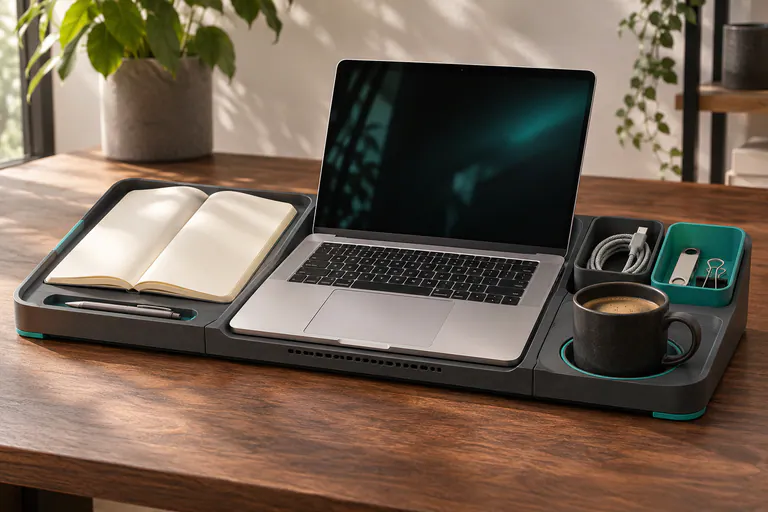
Raise your screen for an open notebook, or stand your Mac upright beside an external display. Set the writing wing, cup and storage where your hands naturally reach.
Try a starting layout
Read the screen and write across an open notebook.
With your device, this layout would occupy 35.07 × 11.79 in. Applying this layout replaces the current storage arrangement.
Design preview
GraphiteDrag to rotate. Pinch to zoom. Arrow keys rotate the model.
Explore 3 station components
Will it fit my tabletop?
Measure the clear rectangle where the assembled station will sit, leaving space for cables, lids and your hands. The plan includes your selected wings and storage. Leave extra height for your cup and open laptop screen.
What the studio will verify
- Footprint covers the base. Allow space behind the hinge and above the desk for your usual screen angle.
- Check the full cover width with the notebook open and the binding relaxed.
DEVICE & FIT
Start with your laptop.
Choose your model and how you work. Leave the laptop open for its display and keyboard, or store it upright beside an external screen.
These are the bare laptop’s closed dimensions. If you use a hard shell, measure with it fitted. Identify the ports and vents that need clearance.
Fit my actual laptop
Measure the closed laptop with the shell you plan to leave on. Width runs along the hinge, depth runs from the hinge to the front, and height is total closed thickness.
Published body dimensions · 11.97 × 8.46 × 0.44 in
Manufacturer’s model guide ↗LAYOUT & STORAGE
Build out your desk.
Make room to write.
Pick the paper you use with your Mac. For an open notebook, measure the spread across both pages so the outer corners stay supported.
Your cup holder
Measure the widest part of the cup base that must drop into the ring. Leave room around the handle when you choose a side.
FINISH & PERSONALIZATION
Put your mark on it.
Choose a finish, add a name to the front or preview your logo. The studio checks artwork placement and detail with you before printing.
PNG, JPG or WebP, up to 12 MB. A transparent PNG preserves the shape of your mark.
STUDIO FIT REVIEW
Make this station yours.
Send Matthew the exact configuration and artwork you see here. The studio checks clearances, personalization and production details, then replies with a price before you commit.
- Station
- MacBook workstation
- Planned footprint
- 35.07 × 11.79 in
Your design details
- MacBook Air 13-inch (M5) · 304.1 × 215 × 11.3 mm · manufacturer dimensions
- Open elevated laptop stand
- US Letter notebook · open spread, 17 × 11 in · right wing · 431.8 × 279.4 mm paper
- Cup · left side · 80 mm outside diameter
- Graphite finish · Freestanding
- Planned footprint · 890.9 × 299.4 mm
PLANNING YOUR DESK
Make room for how you work.
An open laptop, a notebook spread and your writing elbow each need their own space. Set out what you use on a normal workday and measure it together.
Laptop open or upright?
Choose an open riser to use the built-in display and keyboard. With an external monitor, a closed vertical dock gives you back the area in front of the laptop.
A notebook or a quick note?
Measure an open book across both covers, including the spiral. For a short shopping list or call notes, a 3 × 5 or 5 × 8-inch pad leaves more room for a mouse.
A gift or a studio desk?
Add initials, a name or a studio logo to the front. Inspect the plaque proof to judge its spacing, then send the artwork with your design for review.