
A left-handed dab station: where to put jar wells, tools and the swab cup
Start with the accessory group on the left of the device, then try each everyday reach from your normal chair. Left-handed does not automatically mean that every object belongs on the left. If you open a jar with your left hand while your right hand steadies it, for instance, you may want that jar nearer the center than you want your hand tools.
Design my left-handed ForgeStation DabLab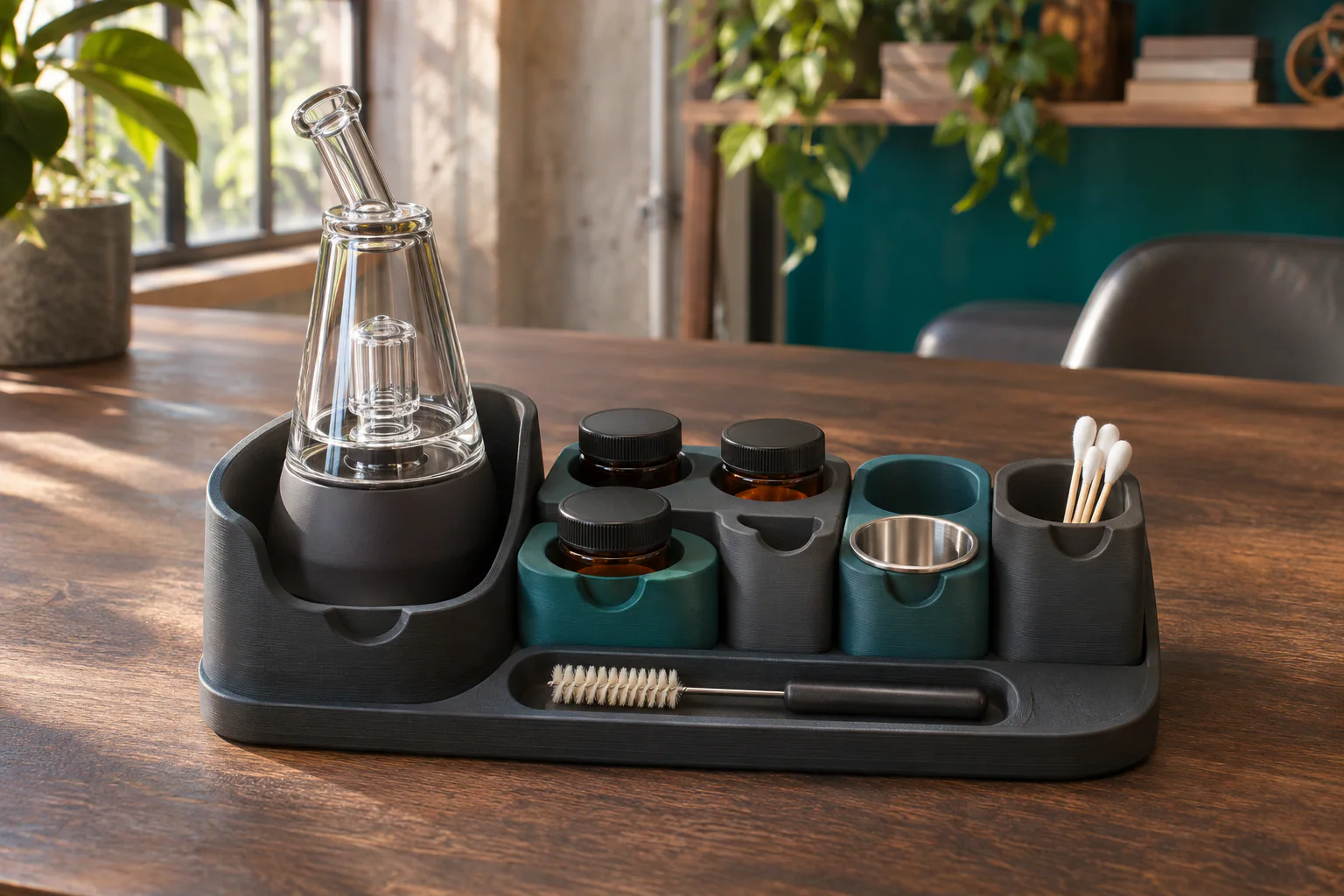
Put the station on your real table first
Tape out the usable part of the tabletop, including the lamp base, the edge of a mat and anything you cannot move. Sit down rather than viewing the plan from above. Put a cereal box where the device will stand and use closed jars, capped pens and empty cups for everything else. Scoot your chair to the position you normally occupy. The leftmost spot on the tabletop can be a poor choice if it makes your elbow hit the wall.
Try the items in sequence. Reach for a jar, put it down, pick up a capped tool, collect a swab and move your hand toward the waste cup. Notice the single worst motion. Fixing that one crossing often does more for the station than arranging every item in a visually perfect row.
What changes when you mirror a layout
In one reproducible DabLab example, enter an illustrative 88 × 92 × 165 mm device, one cooled hot-knife slot, three hand-tool slots, both swab cups and no jars or grid. With accessories on the right, the footprint is 284 by 145 mm. With the same group on the left, the footprint remains 284 by 145 mm. You gain a different reach without giving up extra desk width. The wall, nearby shelf and the location of an outlet do not mirror themselves, so check the new side in the room.
Make room for two hands around a jar
Take the widest jar you use and act out opening it at the paper well. Notice where the stabilizing hand lands, then mark how far the dominant wrist swings. If your knuckles hit the neighboring device silhouette, consider lifting the jar out before opening it or moving the whole accessory group. Give the studio the actual lid diameter and add a separate note about wrist clearance. Inflating the diameter you enter can make the well loose without putting space where your hand needs it.
Save the version that fits your routine
Choose the left-side accessory option in DabLab and compare the overhead view with your tape outline. The control mirrors the accessory group. An individually rearranged jar or a waste cup at a specific corner is a custom request, so mark that location on your sketch. Add a name or logo if you want the front identifiable on a shared table. Send the saved plan for studio review with the side you sit on and the motion you want to simplify.
Questions & answers
Does choosing left-handed make the station wider?
Moving the same accessory group from one side to the other mirrors the layout and preserves its dimensions. Adding a jar group, extra tool section or grid can change the footprint. Compare like-for-like options before choosing.
Which side should the waste cup go on for a left-handed person?
Start with the side where your hand finishes its return motion. For some users that's on the outer left; others prefer a separate bin forward of the work area. Test it sitting down, with the fresh cup away from the return path.
What if a right-handed person shares the table?
Compare the two mirrored plans from each seat and place the shared device where both can lift it easily. Two smaller accessory zones may be more useful than one large group. Describe the seating arrangement if you request that adaptation.
Can I see the design from the front as well as from above?
Use the 3D view to inspect orientation and the overhead plan to check the footprint. Mark the front on your tabletop sketch before comparing it with the preview, especially if your station will be seen from both sides.